Image to PDF Converter
Convert your images to PDF format with customizable page settings
Drag & Drop Images Here
or
Max 50 files (50MB each) – Supports JPG, PNG, WebP
PDF Settings
Each image will be placed on a separate page
Your Images
Free Image to PDF Converter online
free Image to PDF Converter makes this process effortless. It allows you to turn multiple image formats such as JPG, PNG, GIF, and WEBP into a single polished PDF file within seconds. The best part? Everything happens directly in your browser. There’s no need to upload files to an external server, meaning your data stays safe and private on your own device.
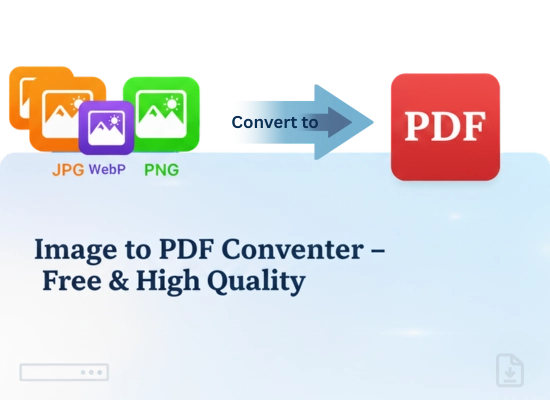
How to Convert PDF to IMAGE with This Tool
1. Upload Your Images
Drag and drop your image files into the upload area or click the “Select Files” button. You can upload JPG, PNG, or WebP images — up to 50 files at once.
2. Adjust PDF Settings
Customize your output using our PDF Settings panel. Choose page size (A4, Letter, A3, etc.), orientation (portrait or landscape), image quality, and margins as per your need.
3. Apply Settings
Click “Apply Settings” to confirm your preferences. Each image will automatically be placed on a separate page in your PDF.
4. Generate & Download
Once everything looks good, hit “Generate & Download PDF”. The tool will instantly combine your images into a single, high-quality PDF — ready to save or share.
Features of Our Image to PDF Converter
Quick, safe, and simple—the best way to turn your images into a clean PDF.
Drag & Drop Uploads
Easily drag and drop multiple images or select files from your computer. Supports JPG, PNG, and WebP formats.
Custom PDF Settings
Choose your page size, orientation, image quality, and margins. Make your PDF look exactly how you want.
Preview Images
See a preview of all your uploaded images before generating the PDF, including dimensions and file size.
Supports Bulk Conversion
Upload up to 50 images at once, each up to 50MB. Perfect for large projects or multiple files.
100% Secure & Private
Your images never leave your device. The entire conversion happens in your browser, so nothing is uploaded to any server.
Fast & Easy
Drag & drop your images, reorder them, and download your PDF instantly with just one click.
